In your post, click on the ‘Settings’ icon outlined in red below:

This opens the side bar, select ‘Post’
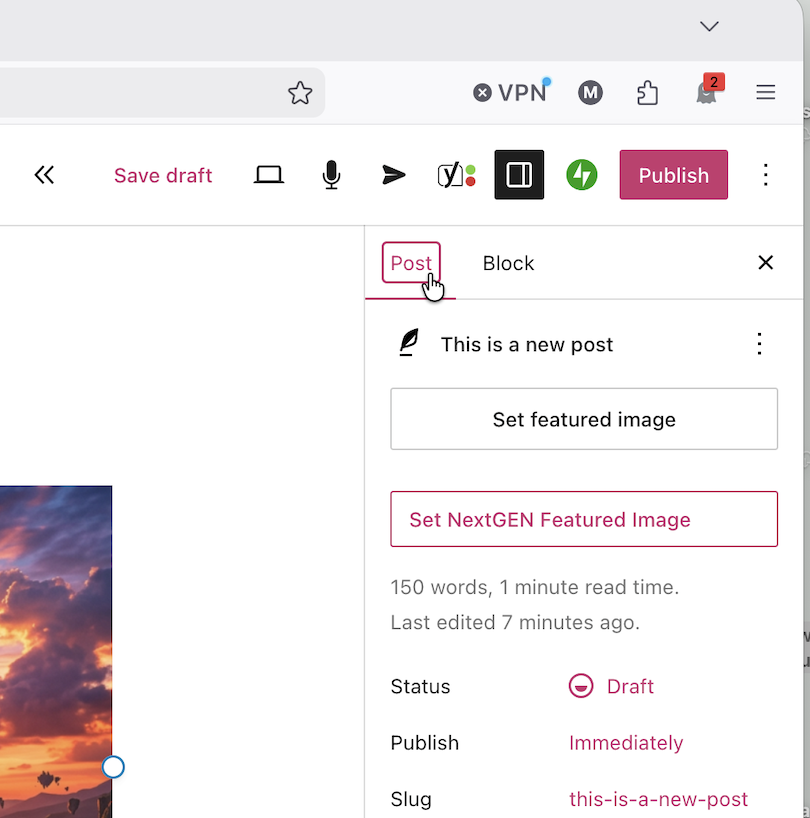
Select ‘Set featured image’

Click on ‘Media Library’, and then either select from the Media Library, or upload a new image


In your post, click on the ‘Settings’ icon outlined in red below:
This opens the side bar, select ‘Post’
Select ‘Set featured image’
Click on ‘Media Library’, and then either select from the Media Library, or upload a new image